
Purchase Order with Retainage
Populating retainage-related fields from a vendor record
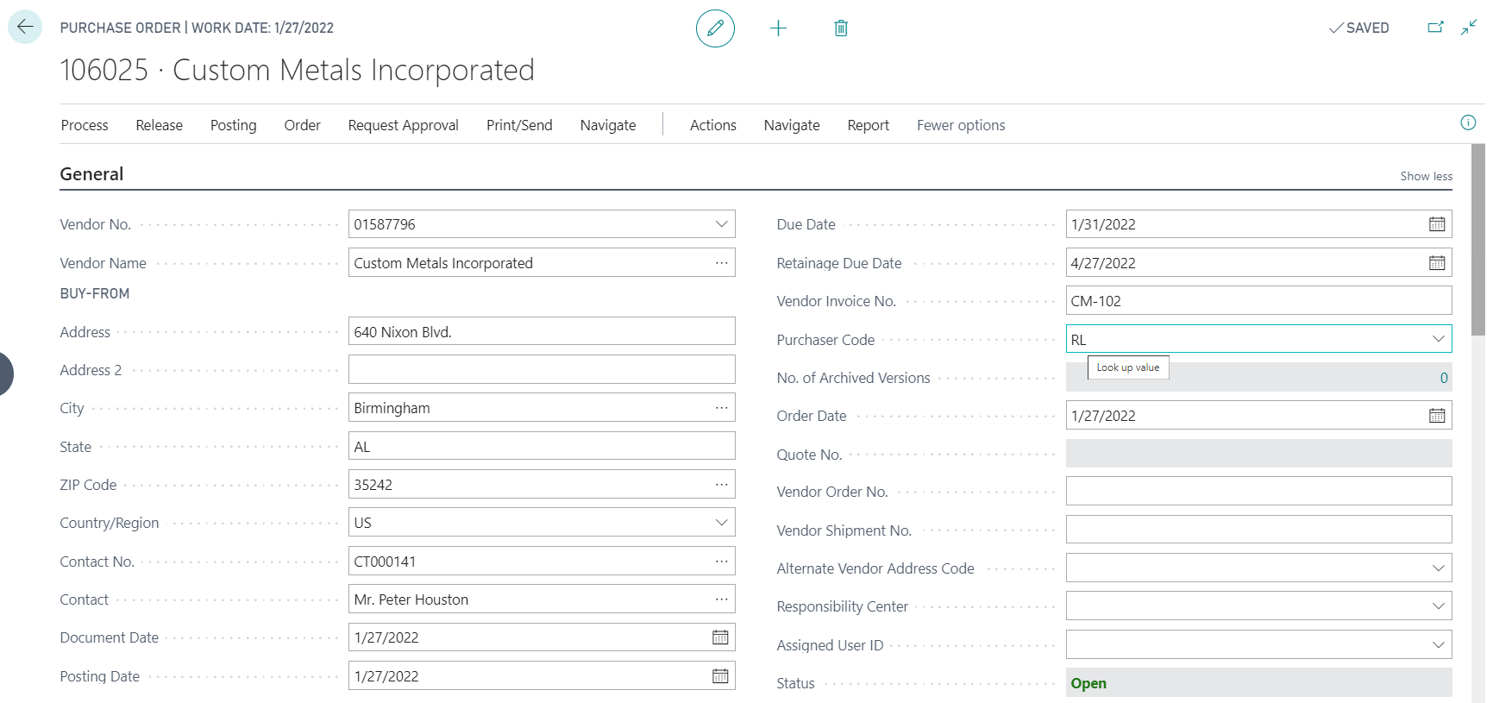
After creating a purchase invoice and entering Vendor No., fields "Retainage %" and "Retainage Terms Code" in the invoice header will be populated from the Vendor Card of the vendor.
The field "Retainage Due Date" defines when the retainage should be released (or in general terms when the purchase document should be applied for retainage) for the invoice that will be created after posting the purchase order with options "Invoice" or "Receive and Invoice". It is automatically calculated as "Document Date" + term specified in the Payment Terms record referenced by the "Retainage Terms Code".
When needed, check and modify the "Retainage Due Date" before each posting of the Purchase Order.
Creating Retainage Lines
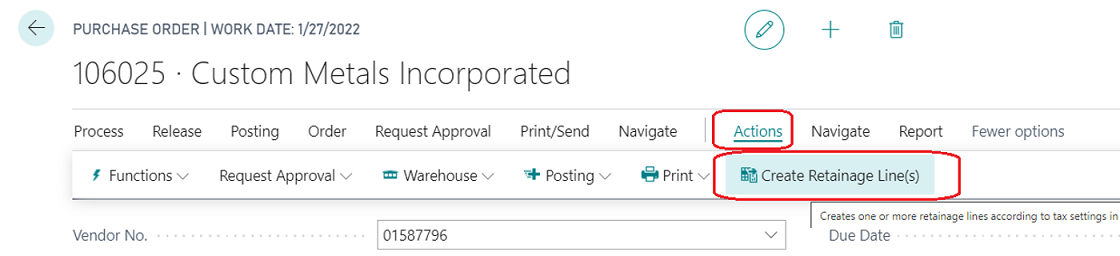
If a Purchase Order is a subject for retainage, create retainage lines before each posting with options "Invoice" or "Receive and Invoice". To create retainage lines run the action "Create Retainage Line(s)".
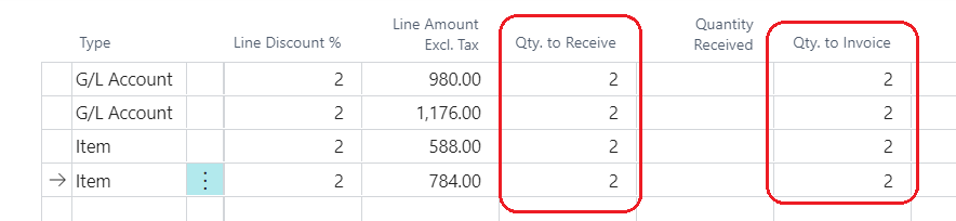
Consider the following example of purchase lines.

After running the action "Create Retainage Lines(s)" you will have the following outcome.
- Two lines for retainage have been created, for each tax combination of Tax Liable/Tax Area Code/Tax Group Code in regular (non-retainage) purchase lines.
- The Tax Liable, Tax Area Code, and Tax Group Code in retainage lines have been populated with corresponding values of the tax combinations.
- The Direct Unit Cost was calculated as a percentage of the sum of the portion of "Line Amount Excl. Tax" in purchase lines that will be invoiced of each tax combination taken with negative sign. The percentage is defined in the field "Retainage %" (which is equal to 10 in this example).
The formula for Direct Unit Cost for each tax combination is the following:
Direct Unit Cost (retainage line) = -1 * SUM (Direct Unit Cost * Quantity to Invoice) * ((100%-Line Discount %)/100%) * Retainage % / 100%
-1 * (100.00 * 2 * (100%-2%)/100% + 120.00 * 2 * (100%-2%)/100%) * 10%/100% = -43.12 -1 * (60.00 * 2 * (100%-2%)/100% + 80 * 2 * (100%-2%)/100%) * 10%/100% = -27.44


Posting Purchase Order with Retainage Lines
The results of posting a purchase order (with retainage lines) with options "Receive and Invoice" or "Invoice" are the following:
- Vendor Ledger Entry shows values in fields "Ret. Amount", "Ret. Amount Incl. Tax", "Remaining Ret. Amount", "Remaining Ret. Amount Incl. Tax".
- New record is added to Vendor Retainage Entry (custom sub-ledger developed within this app)
- New record is added to Detailed Vendor Retainage Entry (child sub-ledger table developed within this app)
Creating Retainage Lines in a Purchase Order for a second time
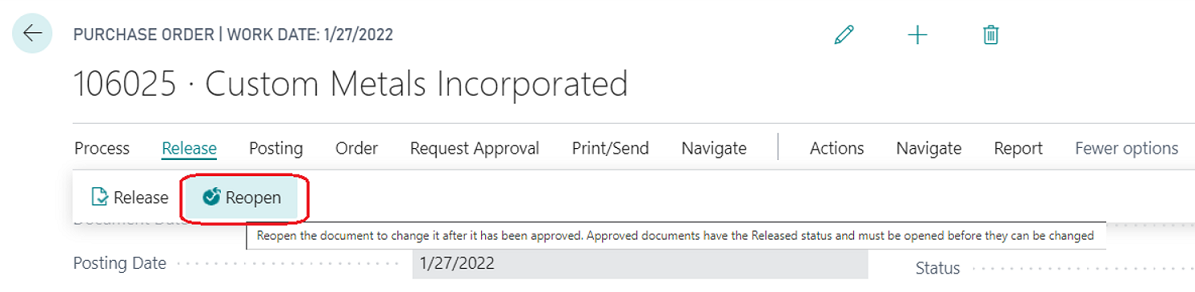
Re-open the purchase order.
Change "Vendor Invoice No." and "Retainage Due Date" in the Purchase Order Header for the invoice which will be posted on posting the purchase order.

Specify "Quantity to Receive" and "Quantity to Invoice" in each line.
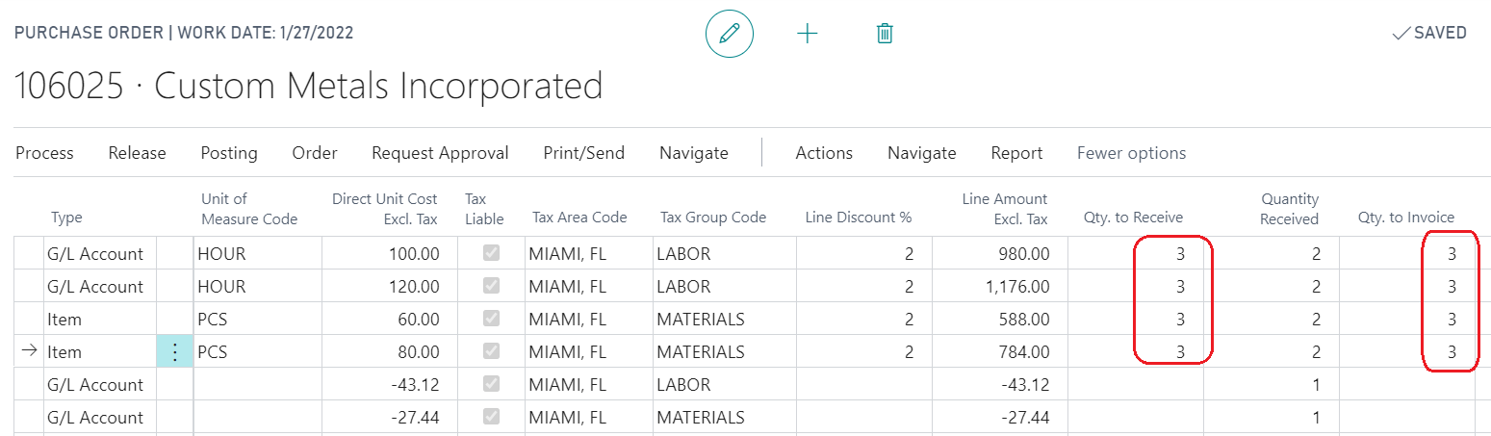
After running the action "Create Retainage Lines(s)" you will have the following outcome:
- Two lines for retainage have been created, for each tax combination of Tax Liable/Tax Area Code/Tax Group Code in regular (non-retainage) purchase lines.
- The Tax Liable, Tax Area Code, and Tax Group Code in retainage lines have been populated with corresponding values of the tax combinations.
- The Direct Unit Cost was calculated as a percentage of the sum of the portion of "Line Amount Excl. Tax" in purchase lines that will be invoiced using each tax combination taken with a negative sign. The percentage is defined in the field "Retainage %" (that is equal to 10 in this example).


Post Purchase Order with the option "Receive and Invoice" or "Invoice".